
Client Skin Changer for Supported Titles
Preview weapon finishes, outfits and knife styles on your display in supported games.
Library
The finish library on this PC
Premium weapon skins are in the library. So are outfits and knife styles, inside supported games. Each item is not its own purchase.
4 cosmetic rows continue lower on this page.
Overview
Finishes drawn here, not bought one by one
Where the finish is drawn, what stays out of your inventory, and how to check a title before checkout.
Skin Changer draws premium weapon skins onto supported games. Outfits and knife variants are in that same library. You do not buy each cosmetic on its own.
The picture stays on your machine. It is not written to the account inventory. One library is shared by both plans. Before you purchase, ask support to confirm the title.
Cosmetics in the local client
Browse weapon finishes, character outfits and knife variants in the local library for supported games. A single cosmetic license covers the available library.
What other players see
The preview is drawn on your screen during the session. It creates no inventory entry or tradeable item, and it ends when you close the client.
Check game coverage
Ask support about your title and the cosmetic category you want before buying. Game and Windows updates can change coverage. Publisher rules can apply to third-party cosmetic clients.
PC setup
The utility lists 64-bit Windows 10 or 11, internet and loader access. Core Isolation, HVCI, TPM and Secure Boot are also listed.
Groups
Cosmetic groups
These finish types are available once the cosmetic license is active.
- Presets for premium weapon finishes
- Presets for character outfits
- Presets for rare knife styles
- Coverage across major titles
- A lightweight client on this PC
- Cosmetic drawing on this screen only
- Monthly and lifetime cosmetic licenses
- Windows 10 and Windows 11 support
When access arrives
Shots, then portal access
Shot notes stay on the left side. The right side covers portal access, then how the menu is set up.
Shots
- Layer A
Cosmetic mark
Weapon finishes, character outfits, and knife styles are drawn on your screen alone.
More products
Pairs well with
The catalog beside this cosmetic client, with a separate page for each license.
- Valorant Cheats Adjustable aimbot, wallhack visuals, player and world ESP, and spike information. View details: Valorant Cheats
- HWID Spoofer Covers disk serials, MAC addresses, GPU identifiers and related hardware fields. Includes a trace cleaner. View details: HWID Spoofer
- Cloud DMA GREENWARD, Static Server and AWS are required separately. Review the Hyper-V and Windows requirements before checkout. View details: Cloud DMA
FAQ
Questions about this page
Answers for this page. The FAQ page holds the rest.
Blog
Related guides
Find practical explanations of menu controls, prerequisites and account risks.
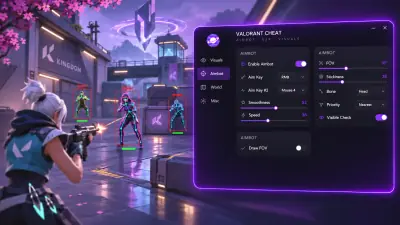
Confirm which build is supported, what Cloud DMA requires and who handles delivery before you pay.
Riot’s PC requirements and the product’s Cloud DMA prerequisites are separate checks.
VALORANT forum
Read discussion
Read-only archive of fictional editorial discussions about the VALORANT menu, overlays, and setup. Handles and experiences are illustrative. Compatibility claims in the examples are unverified.